$2.99 excl. VAT

Terrain Command Button – Blue (old)

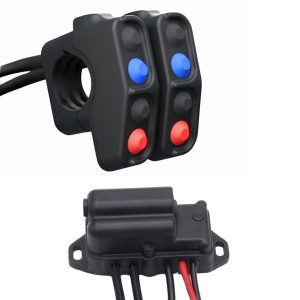
Factory Replacement Push-Button Switch for Terrain Command (Blue – Old Type)

Official replacement momentary tactile push-button switch in Blue (Old Type profile) engineered for pre-mid-2022 Carpe Iter Terrain Command CNC button modules.

Maintain your early-series Terrain Command controller with genuine factory parts. Features the early-style body profile required to seat properly inside CNC aluminum button pods produced prior to mid-2022. Simple solder installation with polarity-ignorant wiring makes repair fast and dependable. Inspect your current button shape carefully: the Old Type profile differs distinctly from post-mid-2022 buttons. If you have a newer controller, order the Blue (New Type) Button.

Key Highlights & Service Details:

  • Style & Era: Old Type button profile (controllers manufactured prior to mid-2022).
  • Color: High-visibility Blue cap.
  • Independent Replacement: Avoid purchasing an entire controller pod by replacing only the failed switch.
  • Polarity-Ignorant Terminals: Wires solder to either pin without polarity restrictions.
  • Straightforward Bench Task: Complete swap takes roughly 15 minutes with a screwdriver and soldering iron.

In stock (can be backordered)

[APPLICATION_DATA // CONTROLLER SERVICE]
TCMD BUTTON BLUE (NEW)

Factory Tactile Push-Button for Post-Mid-2022 Terrain Command Housings.

The Terrain Command Button – Blue – new is the original replacement switch for modern CNC Terrain Command handlebar pods. It matches factory travel, spring resistance, and tactile engagement so your navigation controls feel consistent under all conditions.

15-MINUTE STEP-BY-STEP REPLACEMENT WORKFLOW
  1. Open Housing: Remove the bottom plate of the CNC aluminum housing with a precision screwdriver.
  2. Snip Wires & Remove Putty: Cut the wiring on the damaged switch and peel away the silicone putty surrounding it.
  3. Swap Switch: Remove the old button and seat the new Blue (New Type) switch squarely into the CNC cavity.
  4. Solder Leads: Solder the wires back onto the contact pins. The switch is non-polarized—either wire can connect to either pin.
  5. Insulate & Close: Apply a small bead of silicone sealant over the solder joints to isolate from water and vibration, then reinstall the back plate.

SERVICE-FRIENDLY SILICONE SEALING
* Targeted silicone application allows individual buttons to be cleanly extracted and serviced on your bench without damaging surrounding circuitry or the aluminum housing.
* Provides essential strain relief for the solder joint against extreme single-cylinder vibration.
ERA: POST-MID-2022 // NEW PROFILE
VALIDATION: CARPE ITER SPARE PART

[PHYSICAL_PARAMETERS // SPECS]
SWITCH SPECIFICATION
Product ClassificationTactile Momentary Push-Button Spare Part
Profile RevisionOld Type (controllers manufactured up to mid-2022)
Cap ColorBlue
Switch ActuationNormally-Open (NO) Momentary Contact
Polarity RequirementPolarity Ignorant (leads solder to either terminal)
Controller CompatibilityEarly-generation Terrain Command CNC Aluminum Button Modules
TERMINATION: SOLDER PINS // NON-POLARIZED
VALIDATION: CARPE ITER CERTIFIED
Terrain Command Button - Blue (old)
[ PRODUCT_MEDIA_STAGE ]
Terrain Command Button - Blue (old)
Discover more on our Official channel @carpeiterNavigation
Explore the product manuals, wiring guides, and setup documentation below to get the most out of your gear.
Need extra help or looking for deeper technical guides?
Visit our CarpeIter Knowledge Base
Ridden with this gear on the trail?
Share your real-world setup photos and field reports on the Tribe forum.

[RELATED HARDWARE]