€2,60 excl. VAT

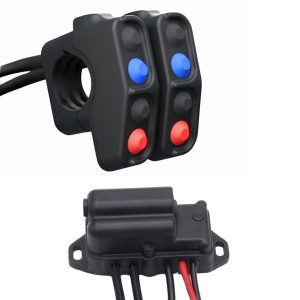
Terrain Command Button – Red (new)

Factory Replacement Push-Button Switch for Terrain Command (Red – New Type)

Official replacement momentary tactile push-button switch in Red (New Type profile) engineered for post-mid-2022 Carpe Iter Terrain Command CNC button modules.

Don’t scrap your entire CNC aluminum button pod over a single trail-worn switch. Our modular housing architecture lets you replace individual malfunctioning push-buttons in roughly 15 minutes. Polarity-ignorant wiring makes soldering foolproof. Critical check: In mid-2022, we updated the button casing geometry. Inspect your existing controller to confirm you have the post-mid-2022 “New Type” round profile before ordering. For earlier units, see the Red (Old Type) Button.

Key Highlights & Service Details:

  • Style & Era: New Type button profile (fitted standard from mid-2022 onward).
  • Color: High-visibility Red cap.
  • Modular Architecture: Allows individual switch replacement inside the CNC machined housing without replacing the entire assembly.
  • Polarity-Ignorant Wiring: Switch leads can be soldered to either contact without polarity concerns.
  • 15-Minute Repair: Straightforward replacement requiring basic screwdriver disassembly and simple wire soldering.

In stock (can be backordered)

[APPLICATION_DATA // CONTROLLER SERVICE]
TCMD BUTTON RED (NEW)

Field-Serviceable Modular Tactile Switch Replacement.

The Terrain Command Button – Red – new is the genuine factory replacement switch designed specifically for current-generation Terrain Command CNC button modules. Built with an off-road tactile switch mechanism, it delivers definitive actuation feedback even through thick, armored motorcycle gloves.

15-MINUTE STEP-BY-STEP REPLACEMENT WORKFLOW
  1. Housing Disassembly: Remove the bottom cover plate of the CNC machined aluminum button housing using a precision screwdriver.
  2. Clip Leads & Clear Putty: Snip the wires leading to the malfunctioning button and peel out the targeted protective silicone putty surrounding the switch.
  3. Extract & Seat: Remove the old switch, seat the new Red (New Type) button firmly into the housing recess.
  4. Solder Leads: Solder the wires back to the button contacts. The switch is completely polarity ignorant—leads can be attached to either terminal.
  5. Insulate & Reassemble: Apply a dab of standard silicone sealant over the freshly soldered joint to isolate it from moisture and vibration before bolting the bottom cover back on.

WHY WE USE TARGETED SILICONE INSTEAD OF SOLID RESIN ENCAPSULATION
* While permanently potting the entire housing in solid epoxy is faster in mass manufacturing, doing so would force riders to throw away an expensive CNC housing if a single switch failed.
* Applying targeted silicone putty by hand allows riders to service individual buttons cleanly while giving critical vibration relief to solder joints.
ERA: POST-MID-2022 // NEW PROFILE
VALIDATION: CARPE ITER SPARE PART

[PHYSICAL_PARAMETERS // SPECS]
SWITCH SPECIFICATION
Product ClassificationTactile Momentary Push-Button Spare Part
Profile RevisionNew Type (installed from mid-2022 onward)
Cap ColorRed
Switch ActuationNormally-Open (NO) Momentary Contact
Polarity RequirementPolarity Ignorant (leads solder to either terminal)
Controller CompatibilityTerrain Command CNC Aluminum Button Modules (post-mid-2022)
TERMINATION: SOLDER PINS // NON-POLARIZED
VALIDATION: CARPE ITER CERTIFIED
Terrain Command Button - Red (new)
[ PRODUCT_MEDIA_STAGE ]
Terrain Command Button - Red (new)
Discover more on our Official channel @carpeiterNavigation
Explore the product manuals, wiring guides, and setup documentation below to get the most out of your gear.
Need extra help or looking for deeper technical guides?
Visit our CarpeIter Knowledge Base
Ridden with this gear on the trail?
Share your real-world setup photos and field reports on the Tribe forum.

[RELATED HARDWARE]